Non-ELS Police EMS Pack: EVP V2 Emergency Fleet
- Pack
- 25 vehicles
- Fit
- Add-on
- Lighting
- Non-ELS
$99.99
Was$249.99
Description
Non-ELS Police EMS Pack EVP V2 groups 25 lore-friendly emergency vehicles around a shared equipment system. The ONX Development Team combines scratch-made models and reimagined vanilla vehicles, with 200+ customisation choices per vehicle. The package offers a one-time purchase with lifetime EVP V2 access.
The range covers patrol, K9, transport, interceptors and ambulance work. Its universal component library supplies a common family of lightbars, antennas, consoles, cages and tags, connecting the different vehicle types within a department fleet.
Lighting across the fleet
EVP V2 uses synchronised non-ELS lighting, without a client ELS requirement. A custom lightbar script offers multiple lightbars with complete patterns. It removes the need to duplicate a vehicle model simply to provide a different lightbar arrangement.
The script is compatible with Gabz PD cars. That compatibility covers lightbar behaviour as well as a consistent visual treatment between the fleets. ALPR attachments, slicktop setups and undercover configurations are part of the lightbar options.
Fleet types and roles
The vehicle types include sedans, SUVs, pickups and sports interceptors, together with motorcycles, ATVs and aircraft. Fleet access covers LEO, EMS, Legacy, Interceptors, Bikes, ATVs and Air categories.
Vehicle models support different roles through configuration: LEO, EMS and DOC, plus Federal, Unmarked and Decommissioned. A chassis can therefore appear in different departments through its selected livery, equipment and tags.
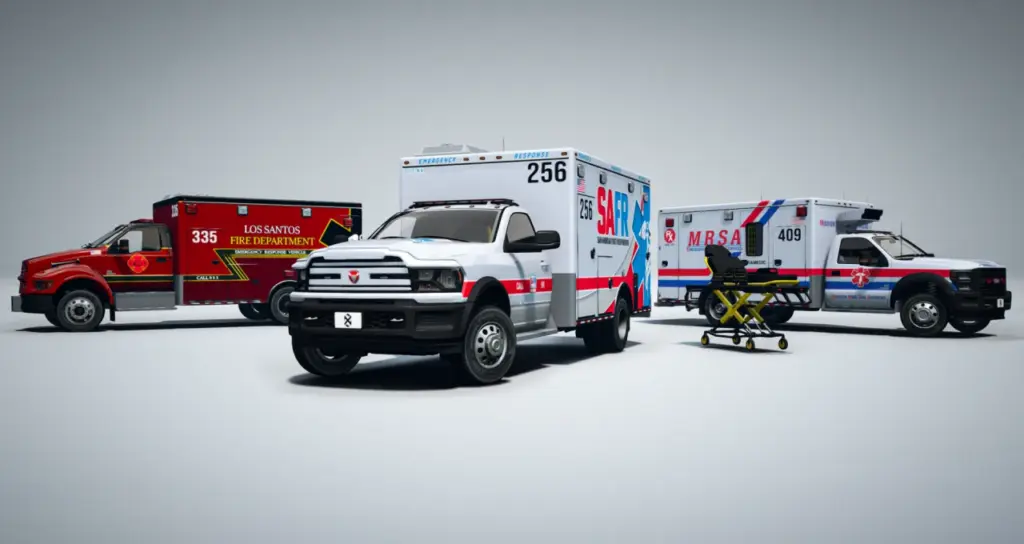
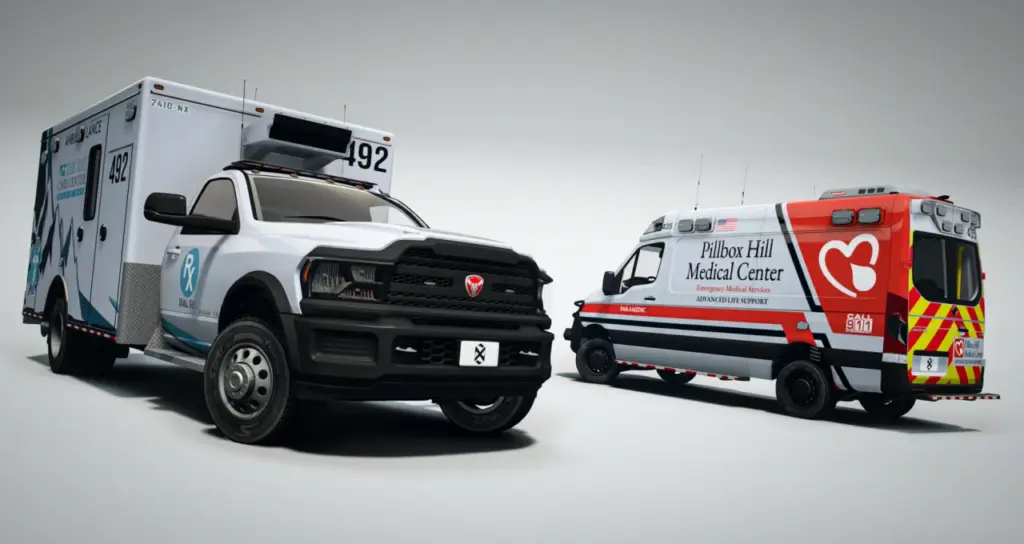
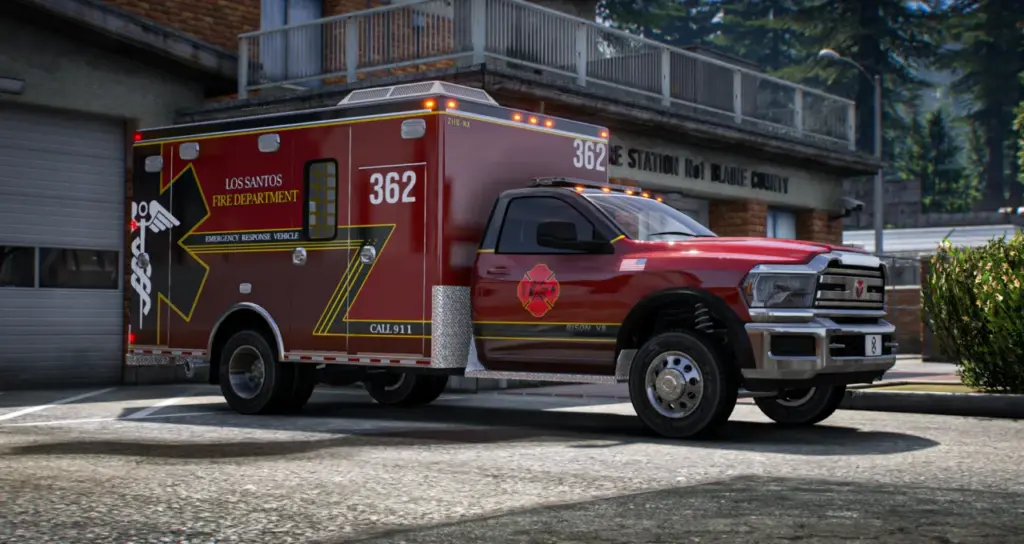
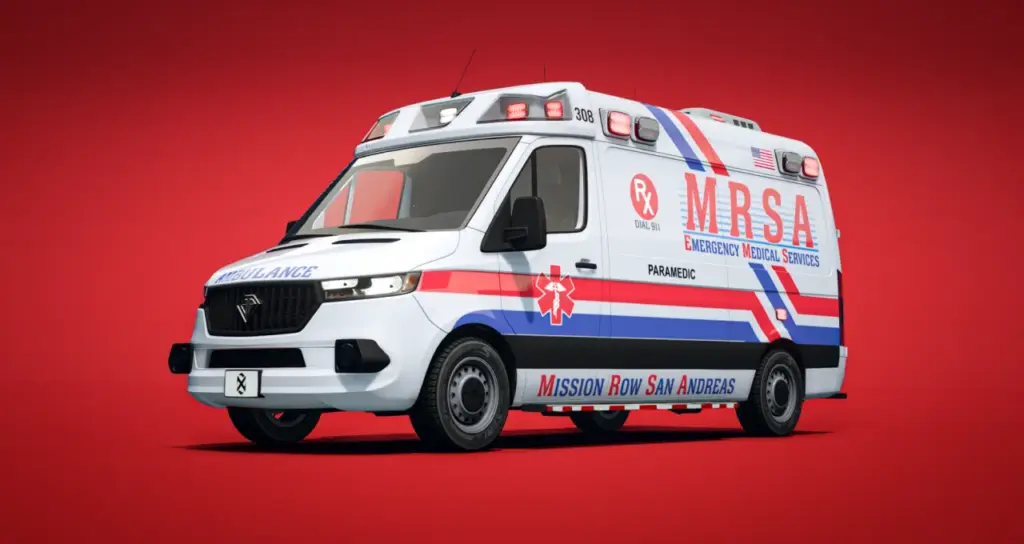
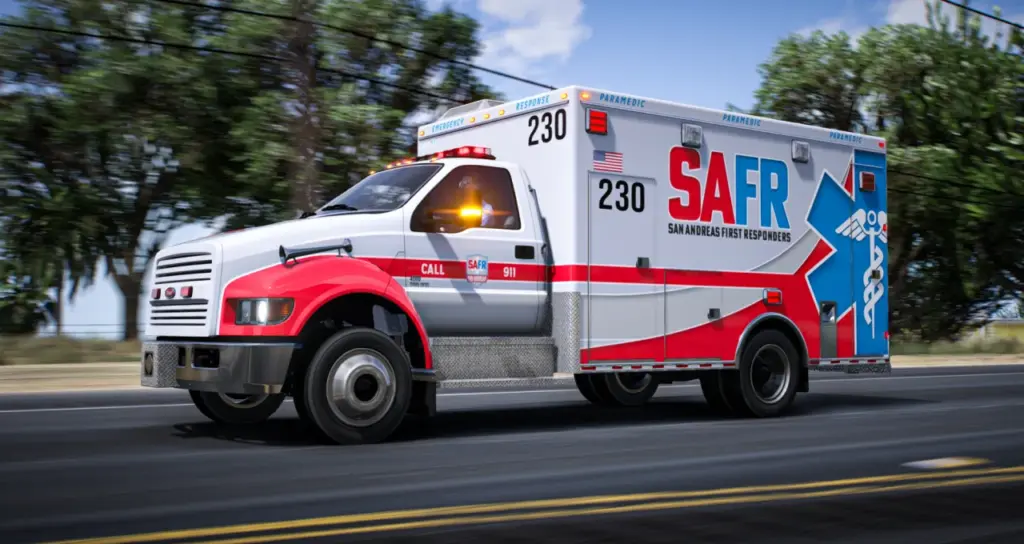
The ambulance range covers Type 1, 2 and 3 vehicles. Animated gurney stretchers are included as drivable entities. These medical assets sit within the same broader equipment family as the patrol vehicles.
Department artwork
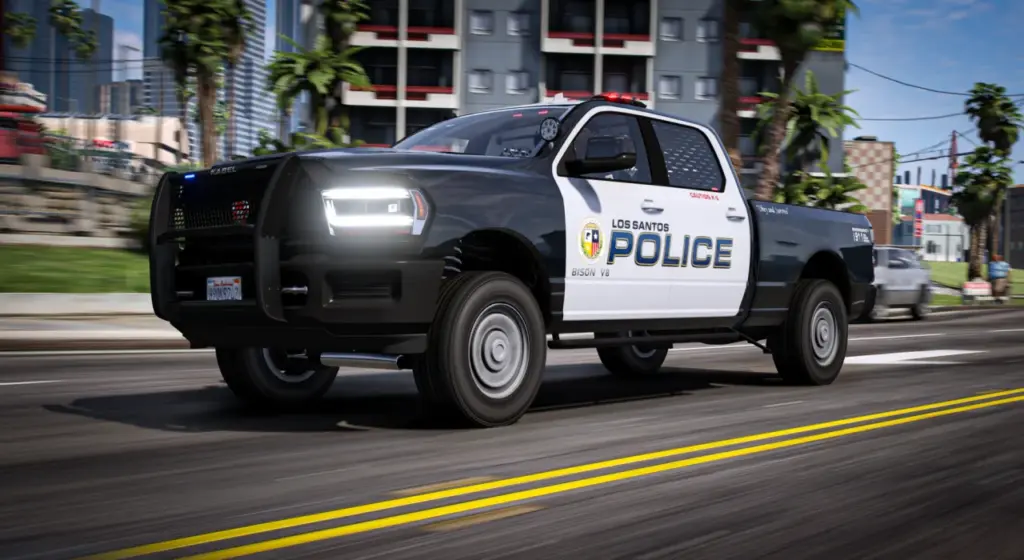
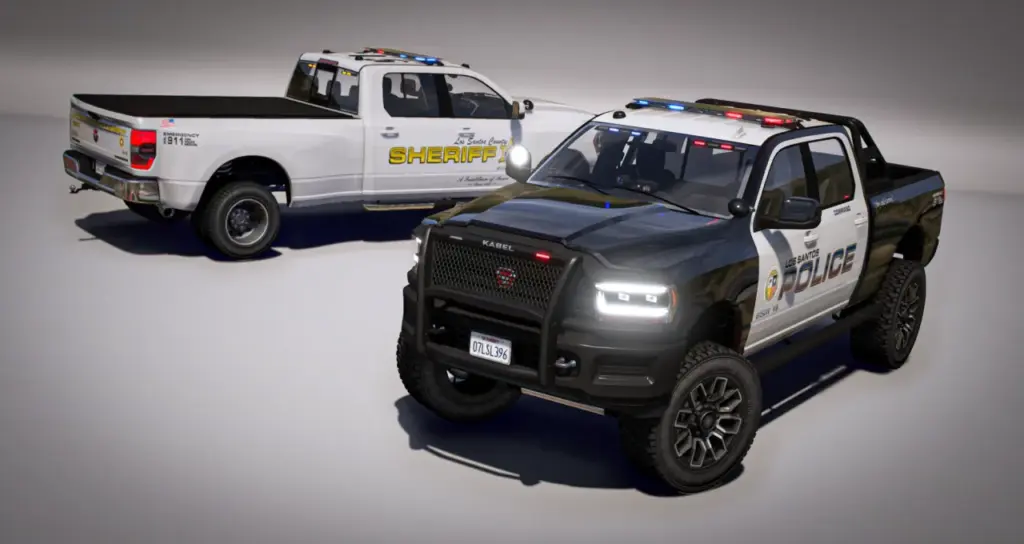
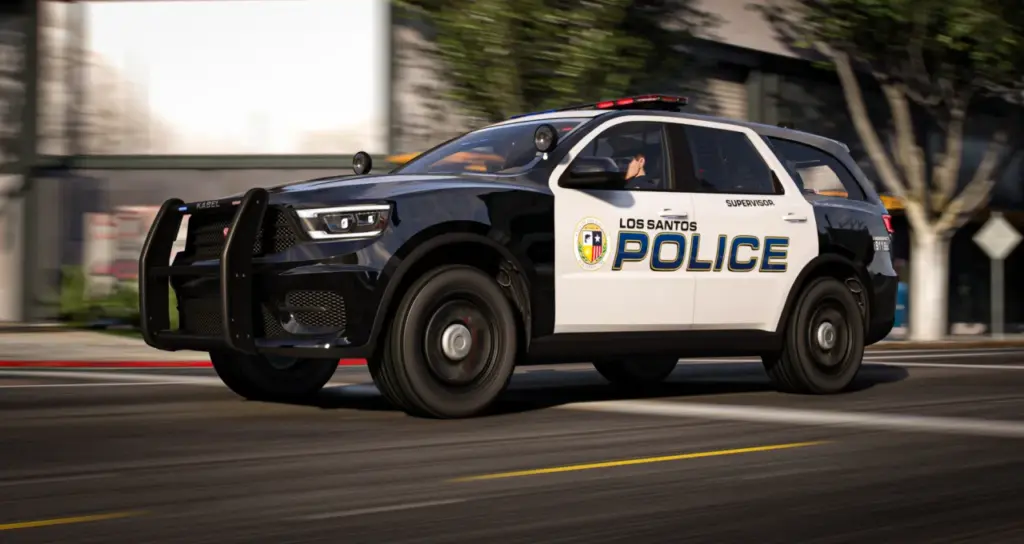
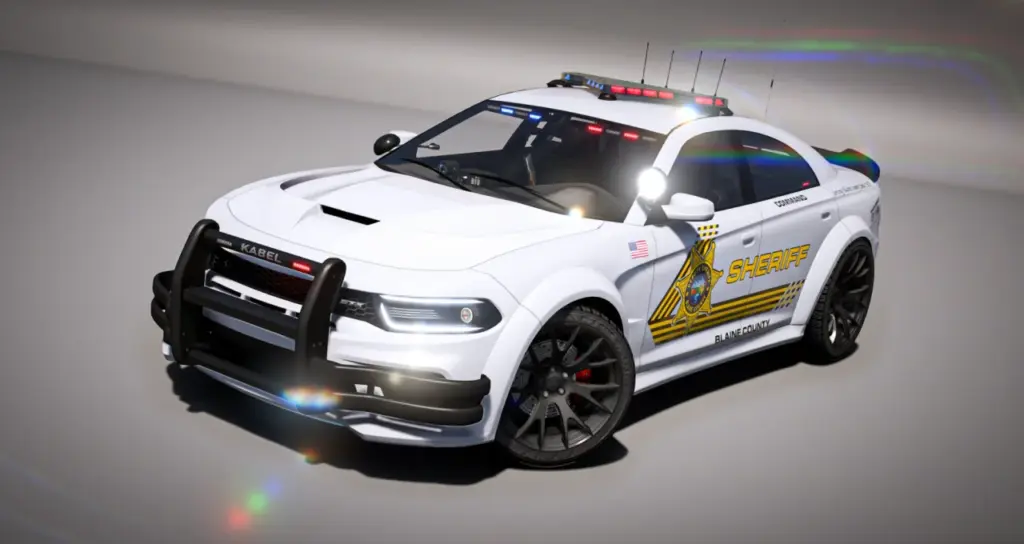
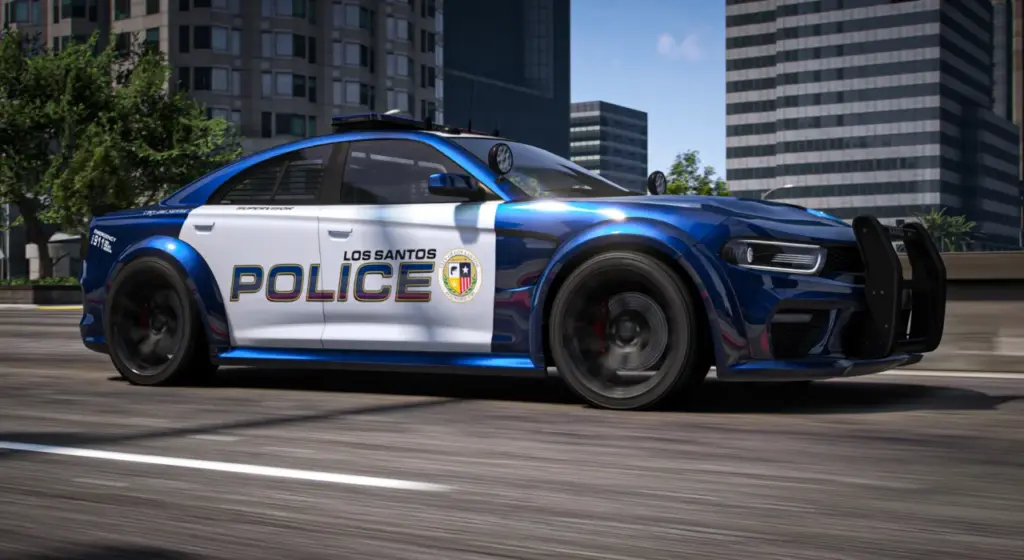
Police liveries include LSPD, LSSD and SAHP. Ambulance liveries include SAFR, LSFD and MRSA. Matching uniforms are available through the ONX EUP alignment of the supplied designs.
Identification and paint
An editable, colourable 5-digit callsign system provides unit identification. Single-colour and two-tone paint are supported independently of the livery, so body paint does not determine which department artwork can be used.
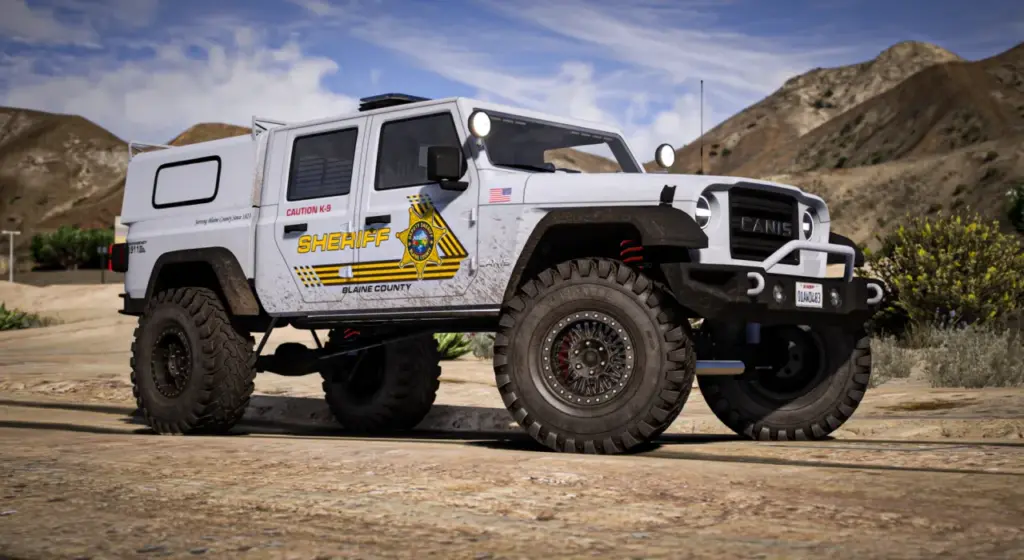
The unit-tag selection contains 16 variants, with colourable and reflective-red finishes. Labels include Supervisor, Command and Warden; Paramedic, SWAT and Gang Unit; and K9 plus Caution K9.
Working equipment
Exterior fittings include jurisdictional ram bars and player-operated spotlight options. Antenna arrays cover regular, specialist, tactical and retrofit styles, including wobble variants for city, county and state use.
More than 45 console, radio, siren-controller and laptop arrangements are available. Dash radar and gun racks at the divider, roof or trunk provide further cabin equipment choices. The exact arrangement is selected through the vehicle’s native options.
Several vehicles are K9-ready, with cages and split K9/suspect seating. Window bars and dividers are included. Trunk layouts range from organised to messy, with animated drawers, lockboxes, raised boxes and loose clutter.
These working layouts accompany the shared external equipment. A department can select a common lightbar design across its fleet while choosing different consoles, rear seating or storage arrangements for specific assignments.
Resource and control specification
The assets include full LOD stages, tuned polygon counts and compressed textures. Liveries use 2K artwork, with texture limits of YTD ≤ 1024 and embedded liveries ≤ 2048. A custom emergency-service wheel pack covers multiple brands.
Dirt and crash mapping follows Rockstar’s style. The custom handling blends roleplay realism with arcade balance. These model characteristics accompany the configurable equipment on the supplied vehicles.
Customisation runs through labelled extras and native mod categories. Standard vehicle menus expose the 200+ options per model, so a bespoke menu system is not required. Those controls cover the lighting, livery, ALPR, cage, console, antenna, trunk and tag choices.
Included vehicles and identifiers
Each entry belongs to the EVP V2 package; the equipment and department role are configured through the supported vehicle options. Vehicle spawners, administrator commands and garage menus can use the separate model identifiers to select the corresponding emergency vehicle.
EMS Ambulances
onx_ambbison: Bravado Bison Ambulance Type 1 (2025)onx_ambking: Vapid Sandking Ambulance Type 1 (2016)onx_ambkee: Vapid Yankee Ambulance Type 1 (2015)onx_ambjog2: Benefactor Jogger Ambulance Type 2 (2026)onx_ambjog3: Benefactor Jogger 4×4 Ambulance Type 2 (2026)onx_ambjog: Benefactor Jogger Ambulance Type 3 (2026)onx_gurney: Brute EjectoLift NX Gurney Stretcher (2026)
Declasse
onx_polmerit2: Merit PPV (2006-2017)
Invetero
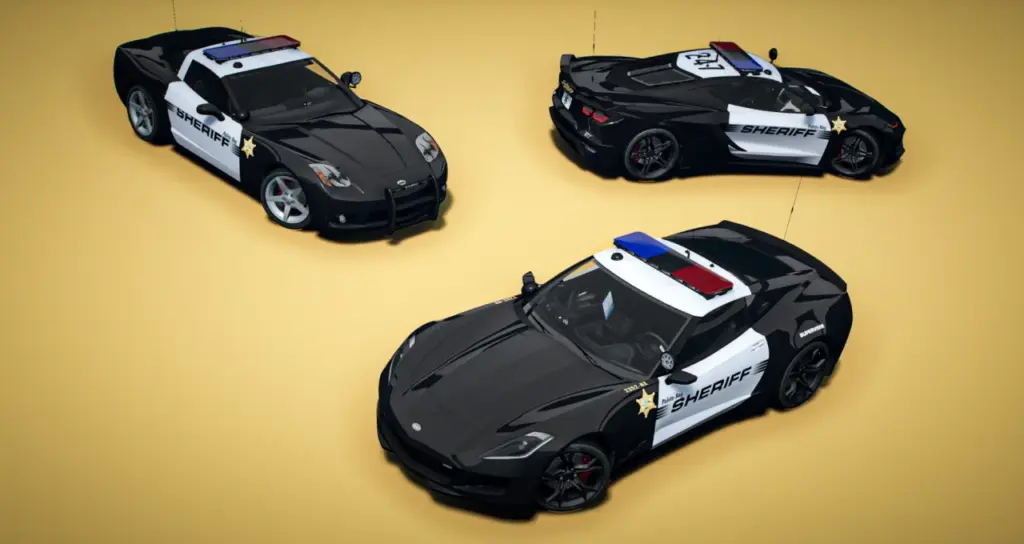
onx_polcoq: Coquette D9 (2015-2019)onx_polcoq2: Coquette D10 (2020-2025)onx_polcoq3: Coquette D5 (2004-2013)
Vapid
onx_polsandk: Sandking D155 (2011-2016)onx_polsandk2: Sandking D155 SWB (2011-2016)onx_polsandk3: Sandking D155 XL (2011-2016)onx_polsandk4: Sandking D155 Compensator (2011-2016)onx_polsandk5: Sandking D155 SWB Compensator (2011-2016)onx_polsandk6: Sandking D155 XL Compensator (2011-2016)onx_polguard: Guardian C105 (2000-2015)onx_polguard2: Guardian C105 SWB (2000-2015)
Buckingham
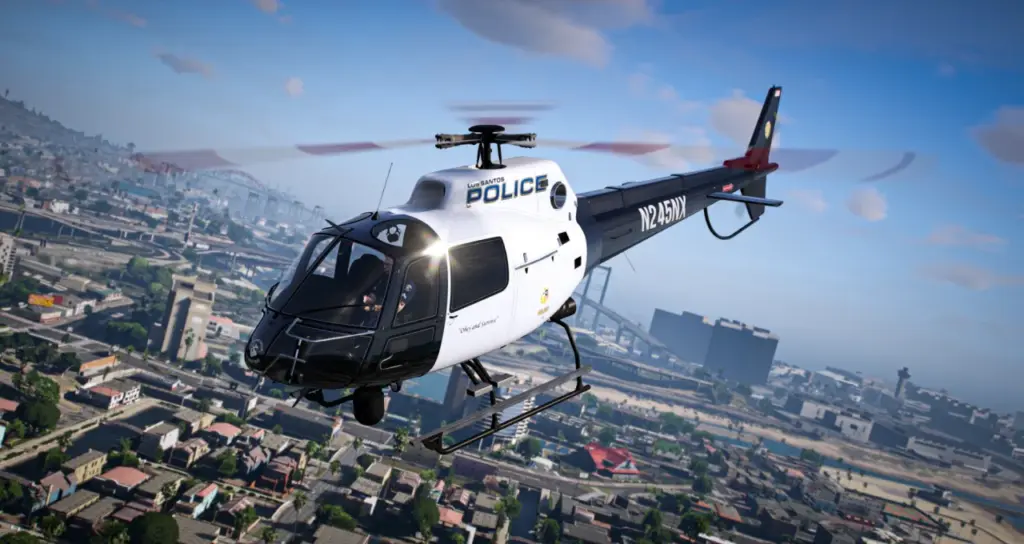
onx_polmav: Maverick (2007-2013)onx_polmav2: Maverick Tactical (2007-2013)
Benefactor
onx_poljog: Jogger LWB (2018-2026)onx_poljog2: Jogger SWB (2018-2026)onx_poljog3: Jogger LWB Transport (2018-2026)onx_poljog4: Jogger SWB Transport (2018-2026)
Installing EVP V2
The resources are framework-independent streamed vehicle assets. QBCore, ESX, Qbox and vanilla setups are supported through the normal add-on resource structure and standard start order.
- Use
[onx_vehicles]as a grouping folder beneath resources, with the ONX vehicle resources placed inside that directory. - Add
ensure [onx_vehicles]to the server cfg. - Use a vehicle customisation menu for the lighting, department graphics, cabin equipment and unit identifiers.
- Expose
VMT_Lightbarin that menu for the custom ALPR and lightbar options.
The lightbar category was introduced in build 3095. A setup using 3095+ can expose the associated custom attachment choices through its menu. General equipment adjustment still uses the native extras and modkit categories.
Package materials and terms
Templates, installation tutorials and setup documentation accompany the V2 fleet and universal parts library. Support is included.
Reuploading, resale and rebranding are prohibited for assets other than liveries and textures, and redistribution is not allowed. The included livery templates provide the basis for department-specific artwork.
Credits
The pack is built by the ONX Development Team. Contributors include ONX, WiseGuy, Dayashii, Tidemo, JunkyWRX, Momo, Witteh and Sound.
The fleet’s shared parts system keeps corresponding equipment related across different body types. Patrol cars, transport vehicles and ambulance assets retain their separate vehicle roles while using the package’s common lighting and customisation approach.
Configuring the supplied fleet
The one-time purchase provides access to the vehicle collection in EVP V2. Within that fleet, the shared parts system links the equipment selections across models. Lightbars, cages, antennas, consoles and unit tags come from the same library, while liveries identify the department using a particular vehicle.
The custom lightbar script is the supplied method for offering several lighting arrangements on a model. It supports full patterns and works with Gabz PD cars, so the lighting selection does not depend on creating duplicate copies of each vehicle. Non-ELS operation also means players see the synchronised patterns without installing client ELS files.
For cabin setup, the console and radio choices are selected alongside the siren-controller and laptop arrangements. Rear equipment varies by the supported vehicle, including K9 cages, split seating, dividers and storage layouts. Those options are accessed through the same labelled native categories used by the rest of the pack.
Reviews
There are no reviews yet.