
ONX Type 1 Ambulances + Animated EMS Gurney: Fleet
- Lighting
- Non-ELS
$49.99
Description
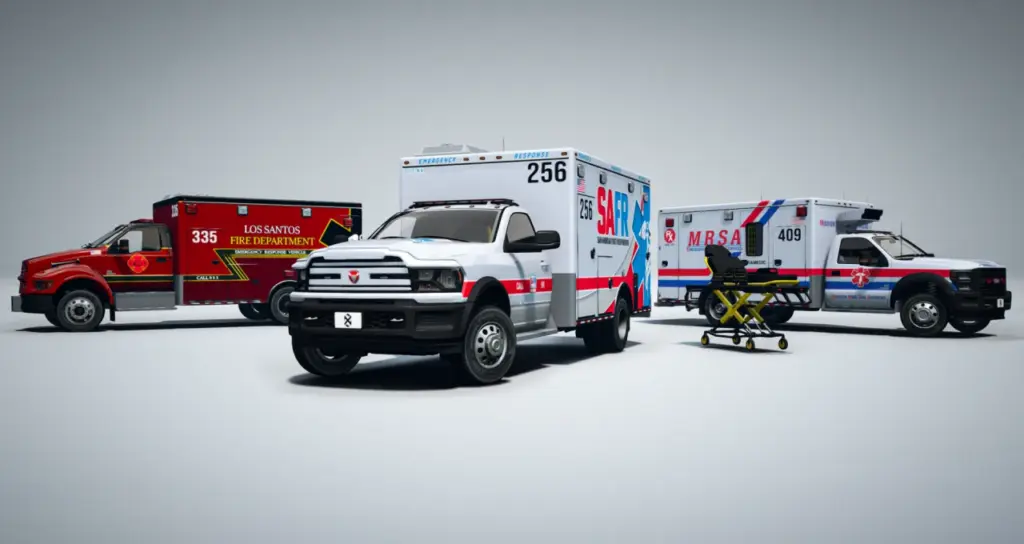
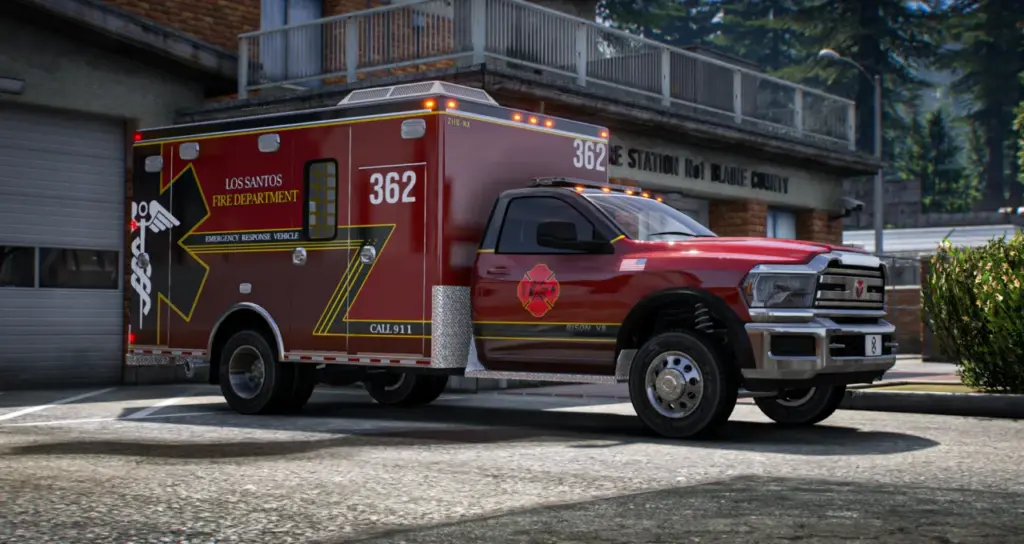
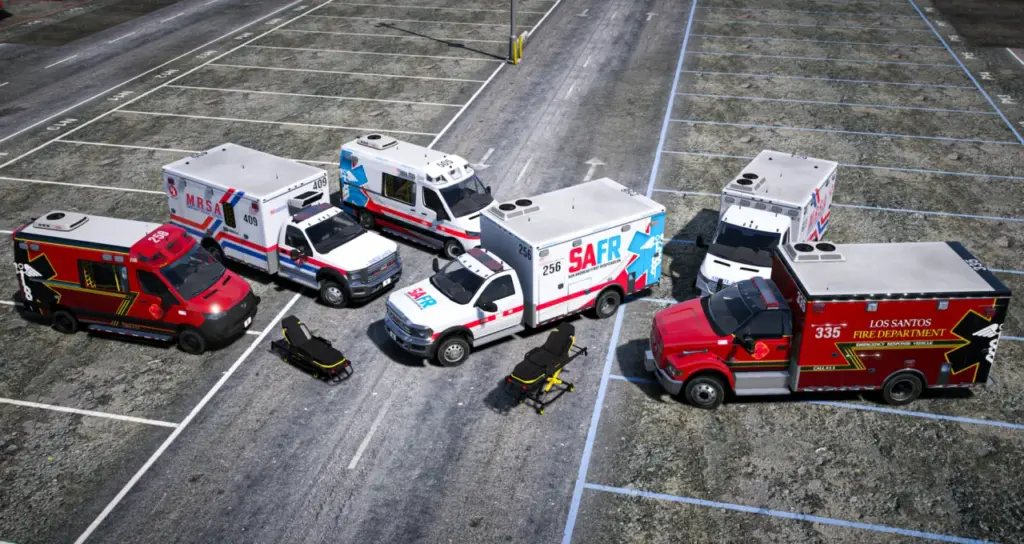
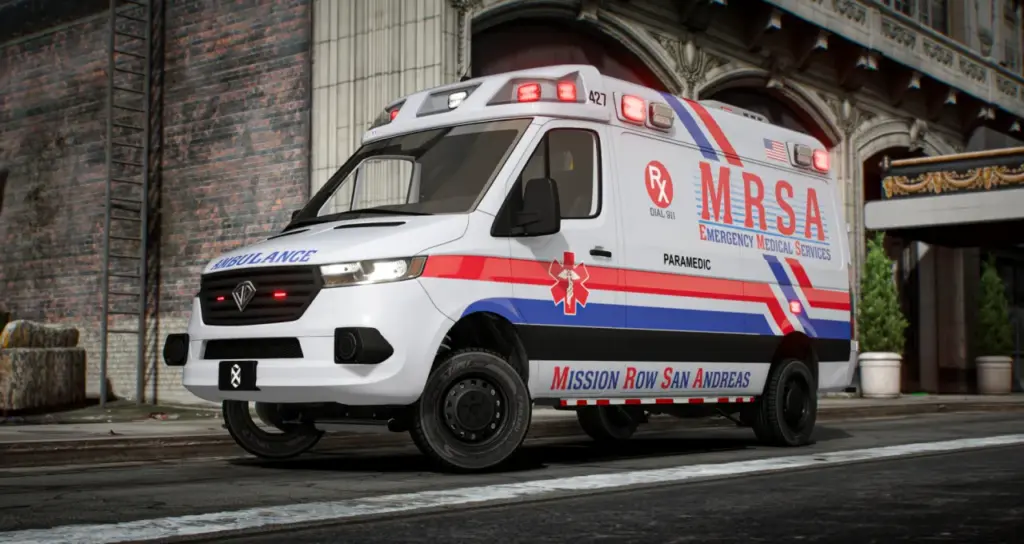
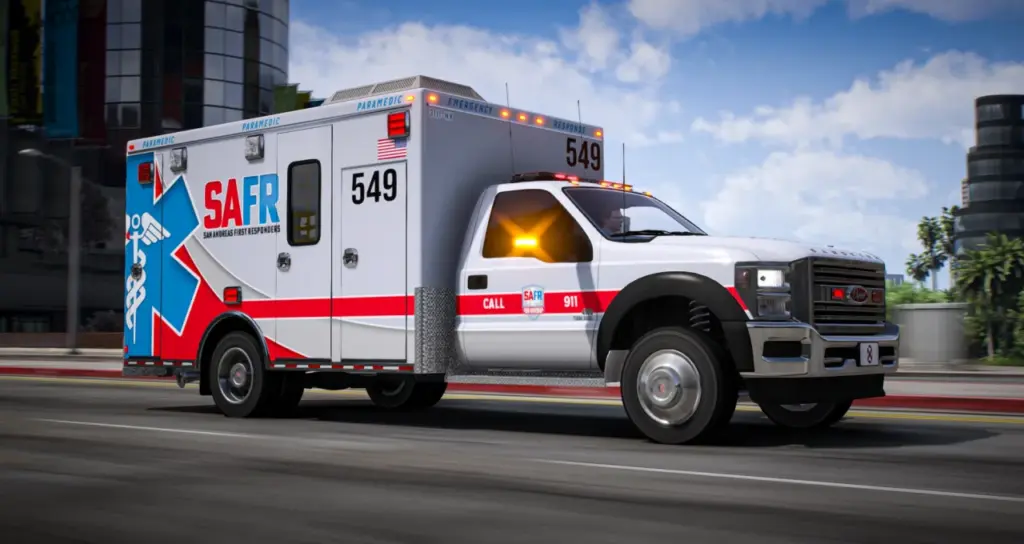
ONX Type 1 Ambulances + Animated EMS Gurney brings a matched truck-and-chassis fleet to medical roleplay. The bundle contains three lore-friendly ambulances and the Brute EjectoLift NX gurney, with common equipment across the vehicles. It suits EMS departments that need walkable treatment spaces and a choice of patient-loading arrangements.
The ambulance models share parts with the wider ONX EVP range. Their lightbars, antennas, consoles, gurneys and interiors follow a consistent design, while callsigns and paint choices allow each unit to carry its own identity. Configuration uses the normal modkit and extras system.
Included ambulance models
- Bravado Bison Ambulance Type 1 (2025):
onx_ambbison - Vapid Sandking Ambulance Type 1 (2025):
onx_ambking - Vapid Yankee C105 Ambulance Type 1 (2015):
onx_ambkee
Included gurney
- Brute EjectoLift NX (2026):
onx_gurney
The animated gurney is itself a vehicle entity. Driver and passenger seat nodes give medical scripts positions to work with, and it is drivable. Its back rest comes in flat and raised forms so the visible stretcher can reflect different patient states.
Holding H raises or lowers the gurney. An extended handle appears when it is lowered. Colourable paint allows the stretcher to match a department’s vehicles, rather than imposing a fixed finish across every EMS service.
Ambulance equipment
- Non-ELS emergency lighting without a client ELS requirement
- Editable, colourable 3-digit unit callsigns
- Modkit and extras configuration through existing vehicle menus
- Common ONX EVP lightbars, antennas, consoles, gurneys and interiors
- Walkable rear compartments with medical equipment loadouts
- 2K livery textures
- Full LOD stages, tuned polygon counts and compressed textures
- Dirt accumulation and crash mapping in Rockstar’s style
- Custom handling that reflects response-vehicle weight
The shared equipment specification applies across the ambulance set. The rear compartment is usable as an on-scene roleplay space, with medical loadouts visible inside it. Callsign editing and colour adjustment are available per unit, so the fleet can remain visually related while retaining individual identifiers.
Loader configurations
Each ambulance provides support for an empty loader, raised hooks and a fitted gurney stretcher. The stretcher can show either back-rest position. These options provide the visual pieces for the loading arrangement selected by the server’s medical scripts.
1. Attach the gurney vehicle
For a loading sequence that carries the gurney into the rear bay, attach its vehicle entity to the ambulance’s misc_s bone. This arrangement uses the actual gurney vehicle as the object being loaded. The attachment point provides the connection needed for that behaviour.
2. Move the patient to a seat
The alternative transfers the patient from the gurney into a seated position inside the ambulance. Select the corresponding gurney mod part so the visible stretcher lines up with that seating position. Native seat animations can then provide the patient’s in-vehicle pose.
These are alternative ways of implementing patient transport. The package supplies the vehicles, stretcher assets and attachment hooks. Developers provide the medical logic that controls loading or transfer in their chosen framework.
Medical-system integration
The assets are framework independent and can sit within QBCore, ESX, Qbox or a fully custom medical system. Their supplied form does not prescribe a particular medical script. A server can therefore use the attachment method or the native-seat method according to its existing patient workflow.
Standard vehicle customisation menus can configure the exposed modkit and extras choices. That includes liveries, consoles, antennas, callsigns and loader equipment. There is no separate proprietary menu required for those vehicle options.
Resource installation
- Place the ONX vehicle resources inside the server resources directory. The suggested grouping directory is
[onx_vehicles]. - In
server.cfg, start that group usingensure [onx_vehicles]. - Open the existing vehicle customisation menu and select the liveries, consoles, antennas, loader parts and callsigns through modkits and extras.
Lighting remains non-ELS throughout the bundle, so clients do not need an ELS installation. The gurney’s raise-and-lower animation is controlled with H; the choice of back rest and department paint completes its visible setup.
Script integration terms
ONX permits creators to develop and sell scripts that work with the ambulances and gurney. The permission concerns integration code: the vehicle and gurney assets cannot be redistributed, reuploaded or included inside a script package.
This distinction leaves developers free to build their own QBCore, ESX or custom patient logic while the supplied fleet remains a separate asset package. The ambulance configuration, gurney seating nodes and loader options provide the vehicle-side components for those medical scenes.
Choosing the visible treatment setup
The empty loader and raised-hook options represent different equipment states in the rear compartment. A fitted stretcher can use a flat back rest or a raised one. When a script moves the patient into a native seat, the selected stretcher mod part needs to correspond to that seated position so the patient and the visible equipment align.
For departments using the attached-vehicle method, the separate EjectoLift remains the gurney being moved. Its driver and passenger nodes are available to the script, and its lowered position shows the extended handle. Both loading approaches use the same matched ambulance fleet, leaving the medical system to determine how the patient moves between the scene and the rear bay.
Reviews
There are no reviews yet.