
Jogger Lore Friendly Ambulance Bundle: EMS Fleet
- Lighting
- Non-ELS
$49.99
Description
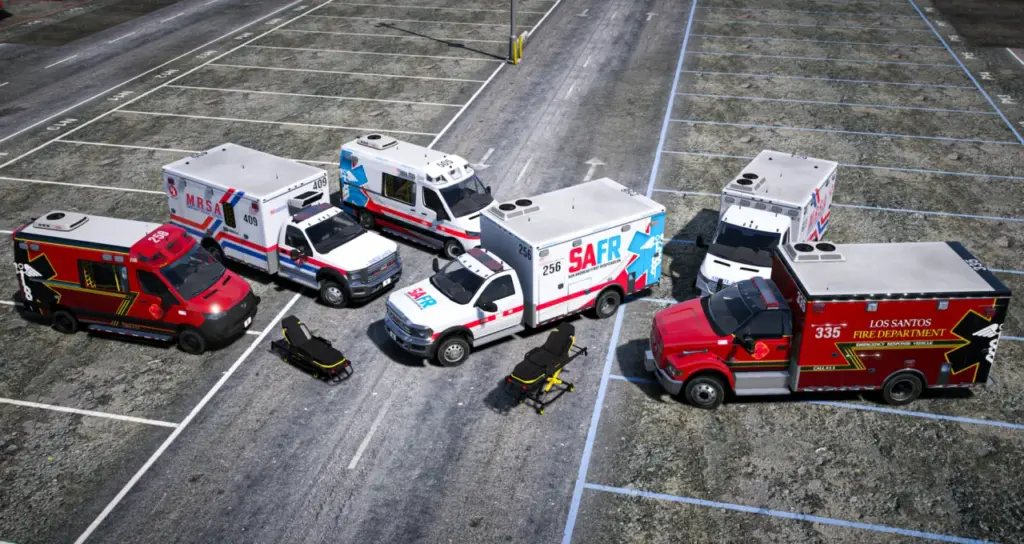
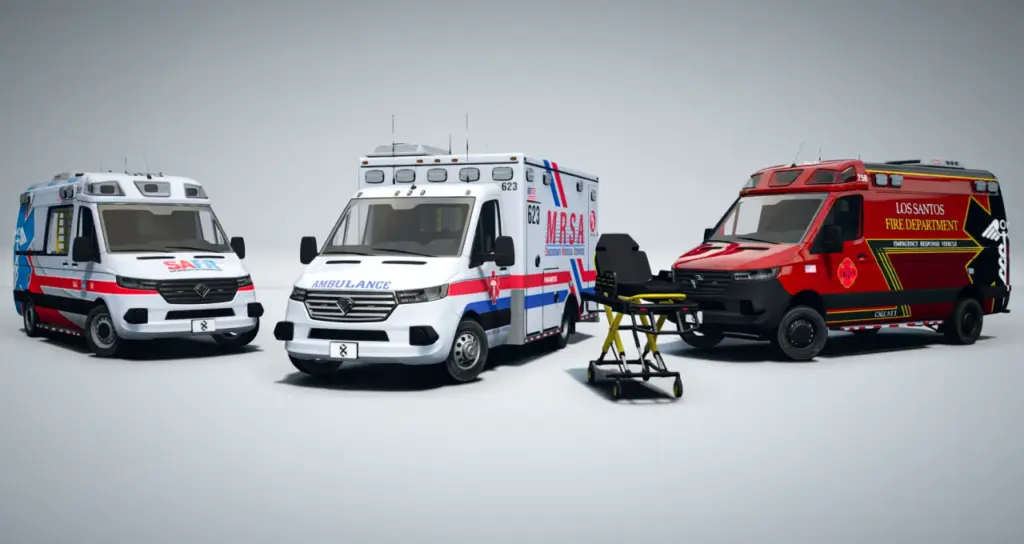
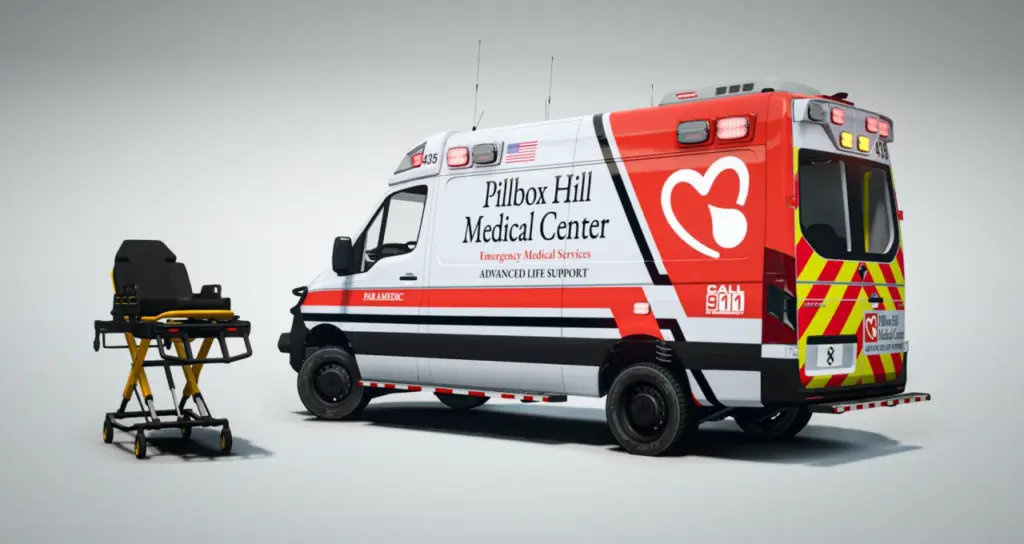
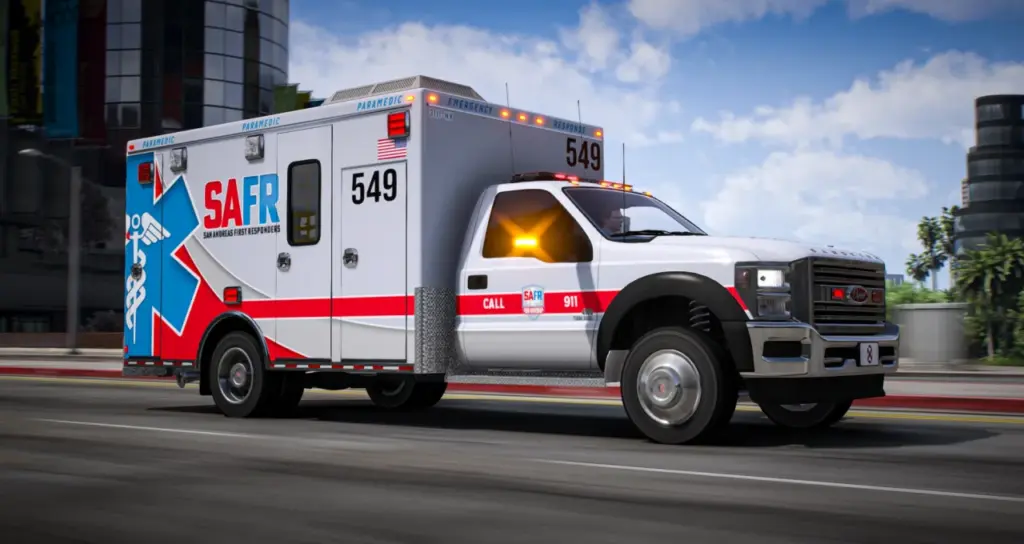
Jogger Lore Friendly Ambulance Bundle equips an EMS roster with van-based ambulances and an animated patient gurney. The selection covers the standard Type 2, its Type 2 4×4 counterpart and the larger Type 3. The Brute EjectoLift NX accompanies them as a vehicle asset for patient loading and transfer scenes.
These FiveM assets share the ONX EVP parts system. Their lightbars, antennas, consoles, gurneys and interiors follow a common visual design, allowing the medical fleet to retain a department-wide appearance across different ambulance layouts.
Included vehicles and identifiers
- Benefactor Jogger Ambulance Type 2 (2026):
onx_ambjog2. The standard van configuration covers everyday medical calls. - Benefactor Jogger 4×4 Ambulance Type 2 (2026):
onx_ambjog3. This off-road-capable version suits rural responses and calls away from the road network. - Benefactor Jogger Ambulance Type 3 (2026):
onx_ambjog. Its larger rear compartment provides the full-size patient-care arrangement. - Brute EjectoLift NX Animated Gurney (2026):
onx_gurney. This vehicle-based gurney includes seat nodes and a raising and lowering animation.
The identifiers can be used when preparing department garages or vehicle whitelists. Each Jogger retains its own body configuration while sharing the equipment foundation, so the rural vehicle and the larger patient-care model can still be configured as part of the same EMS division.
Ambulance systems
Emergency lighting is non-ELS throughout the Jogger selection. No client-side ELS installation is required for the lights. The ambulances also include a colourable, editable 3-digit callsign system for identifying individual units.
Modkit and extras provide the equipment controls. Liveries, antennas and consoles can be selected through a normal vehicle customisation menu, without a specially built configurator. Callsigns and the gurney-loader arrangements belong to the same configuration approach.
- Walkable rear compartments with medical equipment loadouts.
- 2K liveries supplied for the ambulances.
- Complete LOD coverage, managed polygon counts and compressed textures.
- Rockstar-style dirt effects and crash mapping.
- Custom handling configured around emergency-response driving.
- Parts shared across the ONX EVP range.
The rear interiors support patient-care scenes inside the vehicle. Their walkable layout and medical loadouts provide the visual setting for in-vehicle animations. The common parts system extends into those interiors as well as covering exterior equipment, helping the Type 2 and Type 3 configurations retain related furnishings.
EjectoLift NX operation
The gurney is implemented as a vehicle, so scripts can address it as a vehicle entity. It has a driver seat node and a passenger seat node, placing the medic and patient for paired transport animations. These seating positions are part of the asset provision available to script authors.
Hold H to move the gurney between its raised and lowered positions. An extended handle appears when it is lowered. The animation provides the visible height change used during the handling and loading scene.
- Driver and passenger nodes for the medic and patient.
- Backrest choices in flat and raised forms.
- Paint that can be coloured to suit the department.
- Height adjustment by holding H.
- Extended handle shown in the lower position.
The backrest variants support different transport and treatment poses. Colourable paint provides a way to coordinate the gurney with the ambulance scheme, while the seating nodes let the script use defined positions for the people involved.
Loader arrangements
Each ambulance offers several loader appearances: an unoccupied loader, hooks in their raised position, or the gurney stretcher. The stretcher choices include both flat and raised backrests. These visual options are available inside the patient compartment for whichever transfer method the server implements.
The assets support alternative scripted workflows. The bundle provides the vehicle models and their attachment and seating provisions; the server’s scripts supply the logic for moving the gurney or transferring its patient.
1) Gurney attachment
A loading script can attach the gurney to the ambulance at its misc_s bone. This positions the gurney in the rear bay for a loading sequence. The gurney remains a vehicle entity that the script can work with during that operation.
2) Patient seating
Alternatively, the script can move the patient from the gurney into an ambulance seat. The corresponding gurney mod part is then selected so the visible interior matches the patient’s seated position and animation. This approach uses native seating for the transport portion of a medical call.
These are different ways to build a transfer scene around the supplied assets. The attachment method uses the bay bone, while the seat-transfer method pairs an interior seat with the matching stretcher part. The model provision allows either workflow to be implemented by the server’s developers.
Framework and scripting scope
QBCore, ESX and Qbox are compatible with the vehicle assets, and custom frameworks can also use them. Framework-specific patient logic sits in the server scripts rather than in the vehicle models. The package has no IP lock or encryption layer restricting the assets to a particular stack.
Creators may develop integration scripts for the ONX ambulances and gurney, including scripts released commercially. That permission concerns the integration code. The ambulance and gurney files must not be redistributed, reuploaded or bundled into the script package.
Keeping those assets separate applies to both free integration work and commercially sold scripts; the ability to sell the code does not include a right to distribute the vehicle files with it.
Installing and configuring the fleet
Place the ONX vehicle resources in the server’s resources directory. A containing folder named [onx_vehicles] can keep the group together. Add ensure [onx_vehicles] to the server configuration so the resources start with the server.
Once loaded, use a vehicle customisation menu to configure the modkits and extras. That menu exposes liveries, consoles, antennas, callsigns and the gurney-loader selections. The fleet does not require a dedicated custom menu for those vehicle options.
For an EMS team, the relevant choice is the ambulance layout: everyday van response, rural 4×4 access or the larger Type 3 patient compartment. Across those roles, the shared parts and animated gurney provide a consistent set of visual equipment. Developers can then connect those assets to their own patient-care and transport logic.
Seat placement and visible stretcher configuration need to correspond within the chosen workflow. The supplied flat and raised backrest parts provide those visual variants, and the ambulance seat route uses its matching gurney part. This keeps the patient position and the displayed equipment aligned during patient transport.
Reviews
There are no reviews yet.